Nuts and Bolts Puzzle Game 2026: Complete Guide How to Play
Nuts and Bolts Puzzle Game 2026: Complete Guide How to Play: Today, I am going to introduce a new and excellent puzzle game called “Nuts and Bolts (Screw Jam)” I will explain how you can play this game on your mobile phone, the procedure for doing so, important instructions, and all other relevant details.
The “Nuts and Bolts” game has been developed by “Data S Trading PLC” and is available completely free of charge on the Play Store. So far, over a thousand users have installed this game on their mobile phones. I have also installed it and played it for two full weeks; now, I am sharing the details, gameplay instructions, How to Play, and all necessary information so that you can have a complete understanding of the game.
Key Features:
- Offline Play Feature: One feature of this game that I really like is that you can play it completely offline; in other words, an internet connection is not required.
- Core move: In this game, you need to tap on the bolts and then click on an empty space to move them there. By repeating this process, you must clear the platform. Once you have cleared the platform by removing all the bolts, the option to proceed to the next level will appear.
- Key Strategy: In this game, you need to click on the bolts to remove the supports. You must solve the puzzle in such a way that no obstacles remain; for instance, if you remove all the bolts but the plate fails to fall, you will fail the level.
- Goal: The primary objective of the game is to release every piece or plate—essentially clearing the surface completely so that no pieces or plates remain hanging—thereby completing the level.
Complete Guide How to Play the Nuts and Bolts Puzzle Game 2026?
Now, I will explain how to play the “Nuts and Bolts Puzzle Game 2026.” This game is an excellent way to exercise your brain; not only can you enjoy it, but you can also use it to give your mind a workout while traveling or during your free time. The instructions on how to play are as follows:
Install it From Play Store: You need to go to the Play Store and get the ‘Nuts and Bolts Puzzle Game‘ from there.
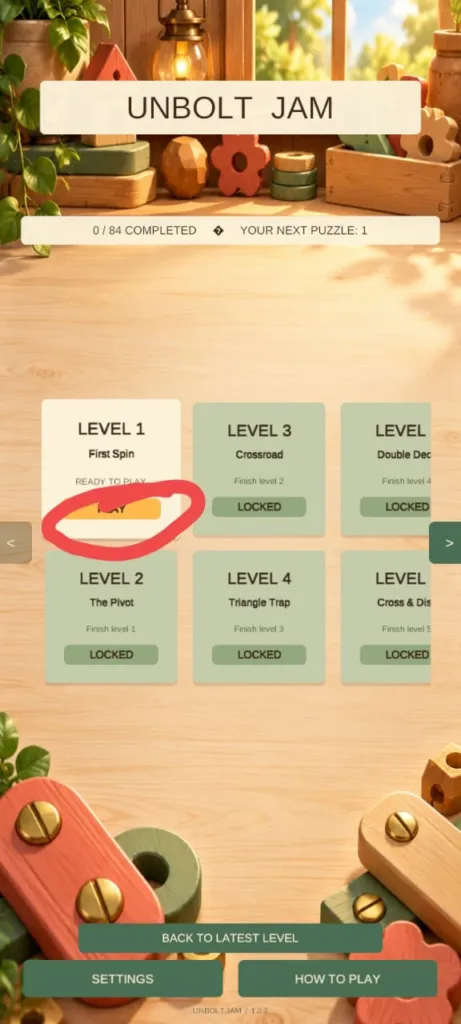
Open Application: To play the nuts and bolts puzzle game offline, open the application; you will see a straightforward interface. Then, click on the ‘Play‘ button, as guide in the image.
Solve the Challenge: Next, click on the screw icon, then tap on an empty hole; this will free up a space, causing the piece to hang. Afterward, click on the screw icon again and tap on an empty hole; the piece—or plate—will then be released. Once all the pieces on the screen have been released, you will have completed the level.
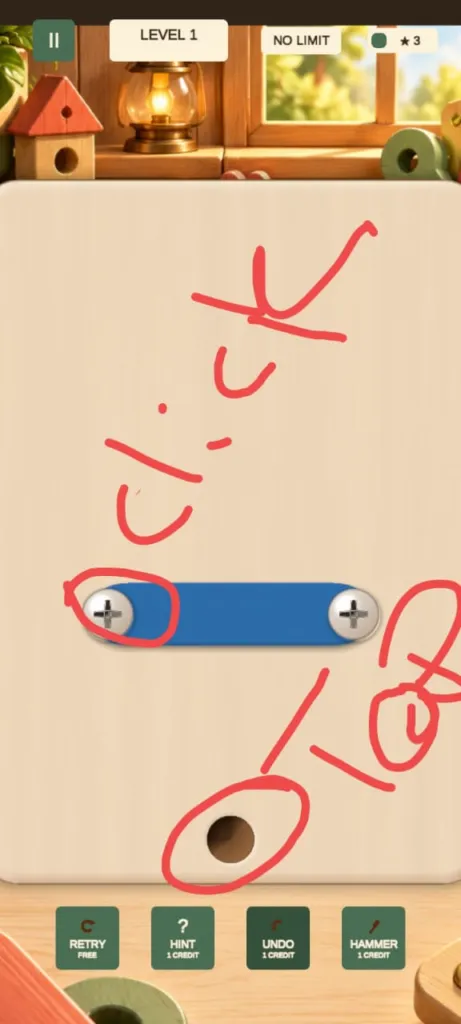
IF Level Stuck: If you get stuck on a level or are unsure what to do, you can click the “Free Hint” button to receive a hint. This free hint is provided once; if you would like another one, you will be shown a rewarded ad, after which you can obtain the hint. Alternatively, you can restart the level. The game also features an “Undo” option that you can use.
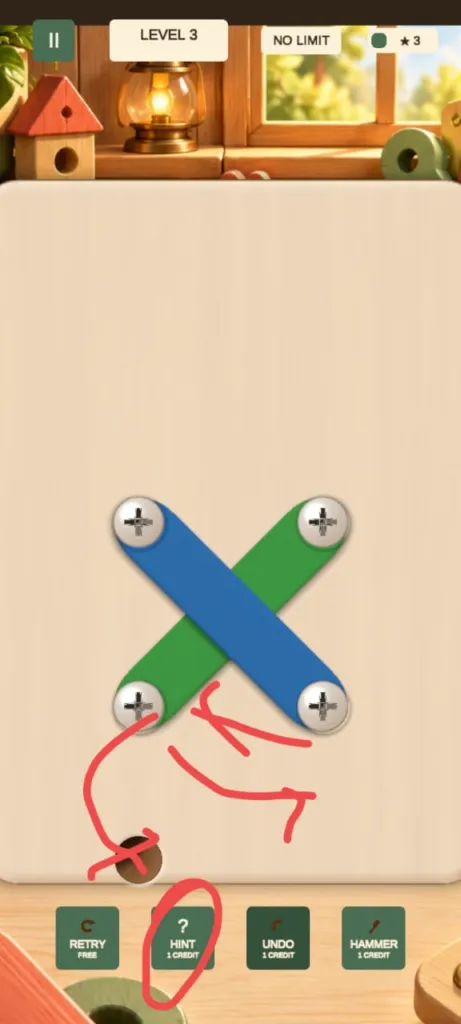
Gameplay instructions:
Keep in mind that you can play this Nuts and Bolts Puzzle game entirely offline. However, if you get stuck on a level and are unsure how to proceed, a free hint option is available; to access it, you will need to watch a rewarded ad. You will receive a free hint the first time you use this feature, but if you get stuck on a level again, you will be required to watch a rewarded ad to obtain another free hint.
FAQ’s
How many levels of this Nuts and Bolts Puzzle Game?
Ans: This game has 84 levels, and the developer may add more levels with each new update.
Can I Play Offline OR Not?
Ans: Yes, you can play this Nuts and Bolts Puzzle game completely offline.
If I stuck in any game level then What can I do?
Ans: If you get stuck on a level and don’t know how to proceed or what the solution is, the game provides three options: you can retry the level, get a free hint, or undo your last move; you can also pause the game—feel free to use whichever option you prefer.